Reception S - Miss Skelton Class News

Class News
Latest articles
Spring 1 Week 1Miss Skelton and Miss Booth09 Jan 2026 Autumn 2 Week 7Miss Skelton19 Dec 2025 Autumn 2 week 6Miss Skelton and Miss Booth12 Dec 2025 Reception Autumn 2 Week 5Miss Skelton and Miss Booth05 Dec 2025 Reception Autumn 2 Week 4Miss Skelton and Miss Booth28 Nov 2025 Reception Autumn Week 3Miss Booth Miss Skelton21 Nov 2025 Reception Autumn 2 Week 2Miss Booth Miss Skelton14 Nov 2025 Reception Autumn 2 Week 1Miss Skelton and Miss Booth07 Nov 2025 Reception Autumn 1 Week 8Miss Booth and Miss Skelton24 Oct 2025 Autumn 1 Week 7Miss Booth Miss Skelton17 Oct 2025 Reception Autumn 1 Week 6Miss Booth10 Oct 2025 Reception Autumn 1 Week 5Miss Booth and Miss Skelton03 Oct 2025 Reception Autumn 1 Week 4The Reception Team26 Sep 2025 Reception Autumn 1 Week 3Miss Booth and Miss Skelton20 Sep 2025 Reception Autumn 1 Week 2Miss Booth and Miss Skelton12 Sep 2025
Archive
Articles 2024-25 Articles 2023-24 Articles 2022-23 Articles 2021-22

Reception Autumn 2 Week 6

Mrs Divall and Miss Skelton - 06 Dec 2023

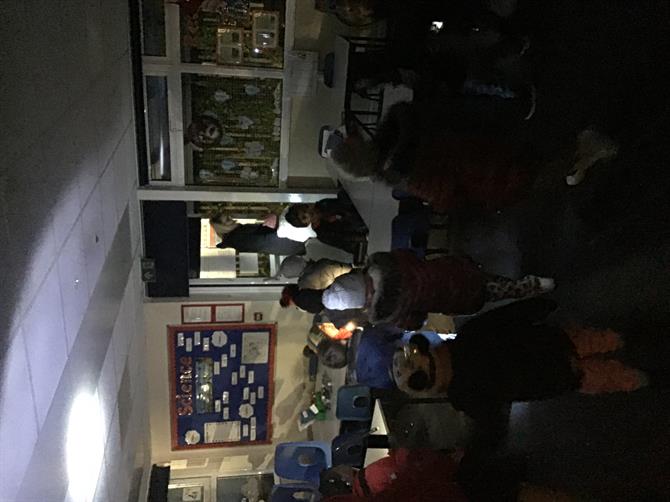
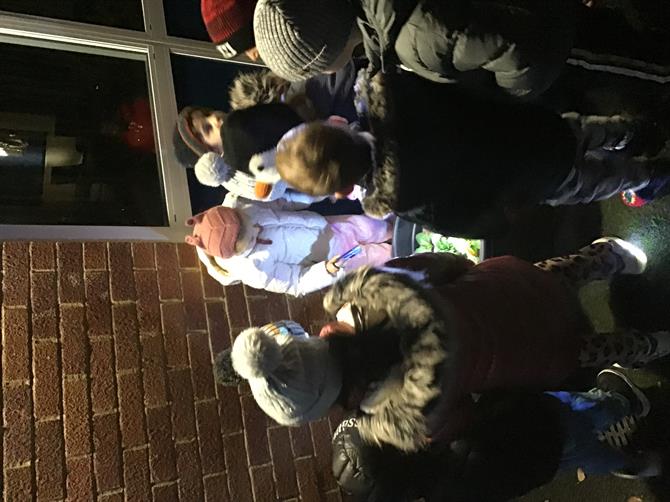
This week we had our reception night walk. It was really fun to see the children come back up to school. We walked around the school with our torches and we looked for nocturnal animals. Unfortunately it was very cloudy so it was tricky to see the moon and stars! We are enjoying our topic Starry Night. We have also been learning about the nativity story. We have been learning that the wisemen followed a very bright star. We have been practising our nativity. We are really looking forward to you coming to see our nativity. Please make sure you follow the link to book tickets. Please also make sure you send your child's Christmas jumper in so that they have a festive outfit to wear for the performance. They can also wear trousers, jeans, leggings, or a skirt of your choice. This is due by Friday please. 



Please wait

Wennington Road
Rainham
Essex
RM13 9XA
Great Britain
Copyright © 2026   Brady Primary School
Website Design & Development for Schools By VisioSoft   |   T&C
User Guide   2172  


Selct an hour and a minute and then click on Set Time

Selected Time:  _:_

Hours
Minutes
 
Set Time
CLOSE